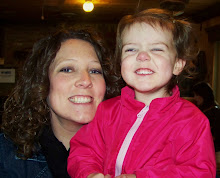
Well, in case you didn't notice, we are now protected. I wanted to take this opportunity to explain to you why we did this. I also have a facebook account and post pictures on there. I was under the impression that unless I accepted someone as my friend, people could not see my name, my pictures, my place of employment, etc. I was wrong. On facebook you belong to networks. I am in three: Kansas State University, MidAmerica Nazarene University and Kansas City, MO. I found out that ANYONE in these networks could access my page. Suddenly I just felt really vulnerable and exposed. I kept thinking "ANYONE could stumble across this information!" I had pictures of Ben and I, our full names, my date of birth, pictures and details about Gracelynn. It was enough to make me sick and really think about what I was doing.
Now, I am not telling anyone this to scare them. We are all aware of the sickos that are out there these days, but the way I look at is that I don't want to put the information directly into their hands...they're gonna have to work for it. My blog, while a great way for me to keep up with friends and keep them updated, was just too out there. Anyone who entered our web address could access all the information I put out there. What's even scarier, because our names are there, you could find us via a web search!!! It was just too much of a risk.
I appreciate the validation and sentiments from you guys, and I will continue to update. If someone you know AND I know asks why they can't view our blog, tell them to email me and ask me to add them to our permissions list. As I said before, I want folks to get to stay updated...and to see that beautiful girl of ours, but not at the risk of something happening.
Thanks for understanding :)
1.15.2008

1.09.2008
Going Protected
Just wanted to let you all know that our blog will be going protected soon. I realize that with our names and pictures of us and Gracelynn, it just isn't safe to leave it unprotected for anyone to stumble across.
So, if you would like to be added to our protected list, please post a comment with your email address so I can add you.
Thanks!
Amber
ETA: For those of you that are wondering HOW to go protected it is pretty simple. You go to your settings after you have logged in, then to "permissions". Here you can chose who you would like to be able to view your blog (there are several choices). It is nothing personal to those out there that have been viewing our blog for a while. I am more than willing to add you...just let me know your email address. Thanks!
So, if you would like to be added to our protected list, please post a comment with your email address so I can add you.
Thanks!
Amber
ETA: For those of you that are wondering HOW to go protected it is pretty simple. You go to your settings after you have logged in, then to "permissions". Here you can chose who you would like to be able to view your blog (there are several choices). It is nothing personal to those out there that have been viewing our blog for a while. I am more than willing to add you...just let me know your email address. Thanks!
Subscribe to:
Posts (Atom)